Welcome to the DELE Resource Centre
Explore several resources, templates and best practices to support you in Digital Event Delivery, Innovation and Monetisation.
What's your role?





Marketing Toolkit


Quick Links


Digital Customer Experience
Who's in the Digital Customer Experience team?
Anne Hickman, Director of Digital Customer Experience (anne.hickman@informa.com)
Hannah Mee, Marketing and Content Executive (hannah.mee@informa.com)
Helena Newcombe, Platform Engagement Manager (helena.newcombe@informa.com)
What platforms do you cover?
For EMEA, we are focused on the following platforms:
Registration - VISIT, managed by Ayesha Dumasia (ayesha.dumasia@informa.com)
Exhibitor Portal - IMCC, managed by Sawsan Emam (sawsan.emam@informa.com)
Event platform & app - Swapcard, managed by Anne Hickman (anne.hickman@informa.com)
What's the point of DELE?
The platform & app is included in the value offering of Exhibitor and Visitor passes, it's a part of the experience they are buying into when deciding to attend the show.
We know our audience's main objective when attending shows is networking and the DELE offering makes this seamless through lead scanning, meetings and AI recommendations.
Swapcard
What is Swapcard?
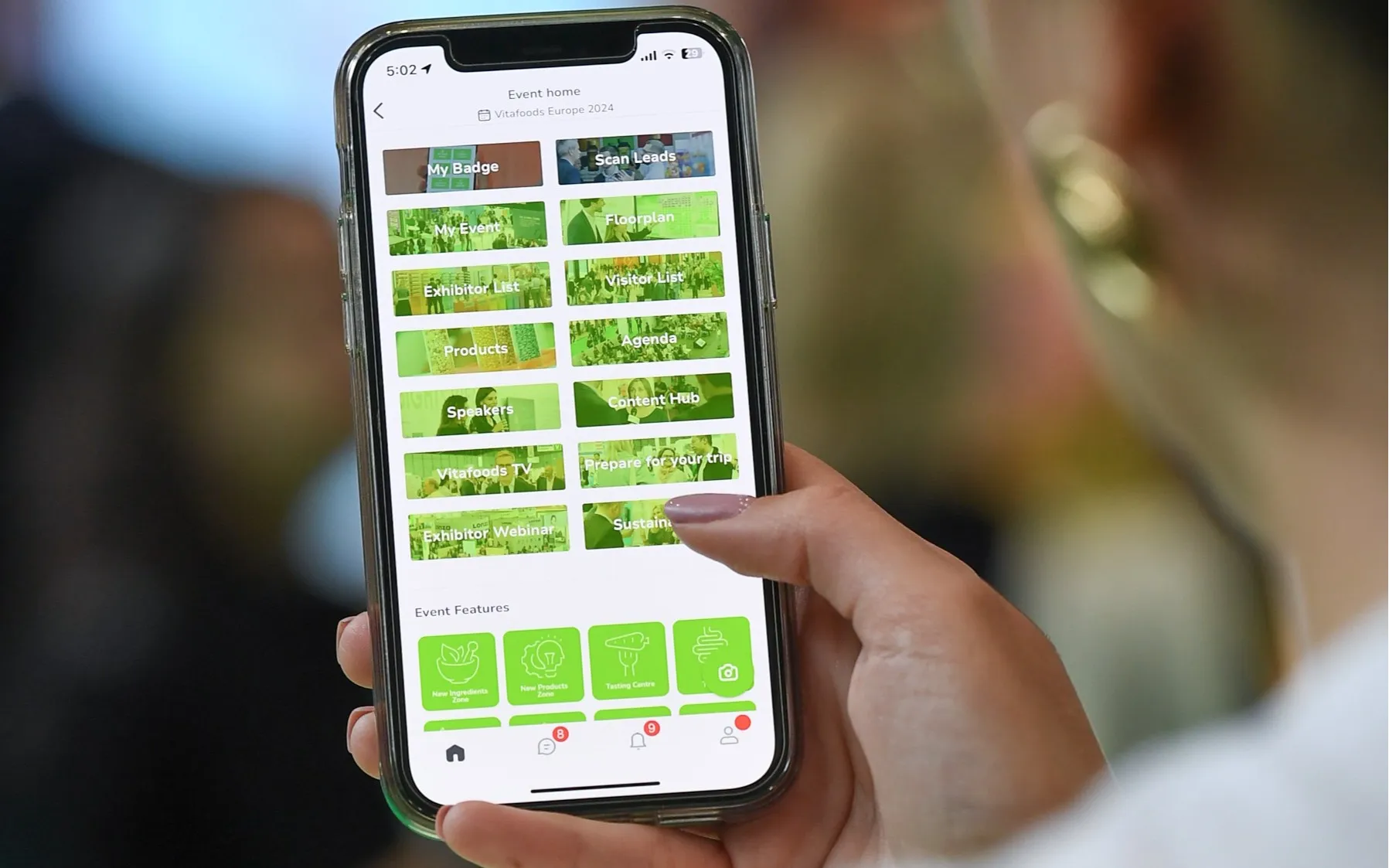
Swapcard is a highly customizable event platform which we use heavily in EMEA. The web platform and mobile app are one in the same, and support the digital event aspect. On-demand content, meeting organisation, messaging pre-during-and-post show, products, digital promotion, the list goes on.
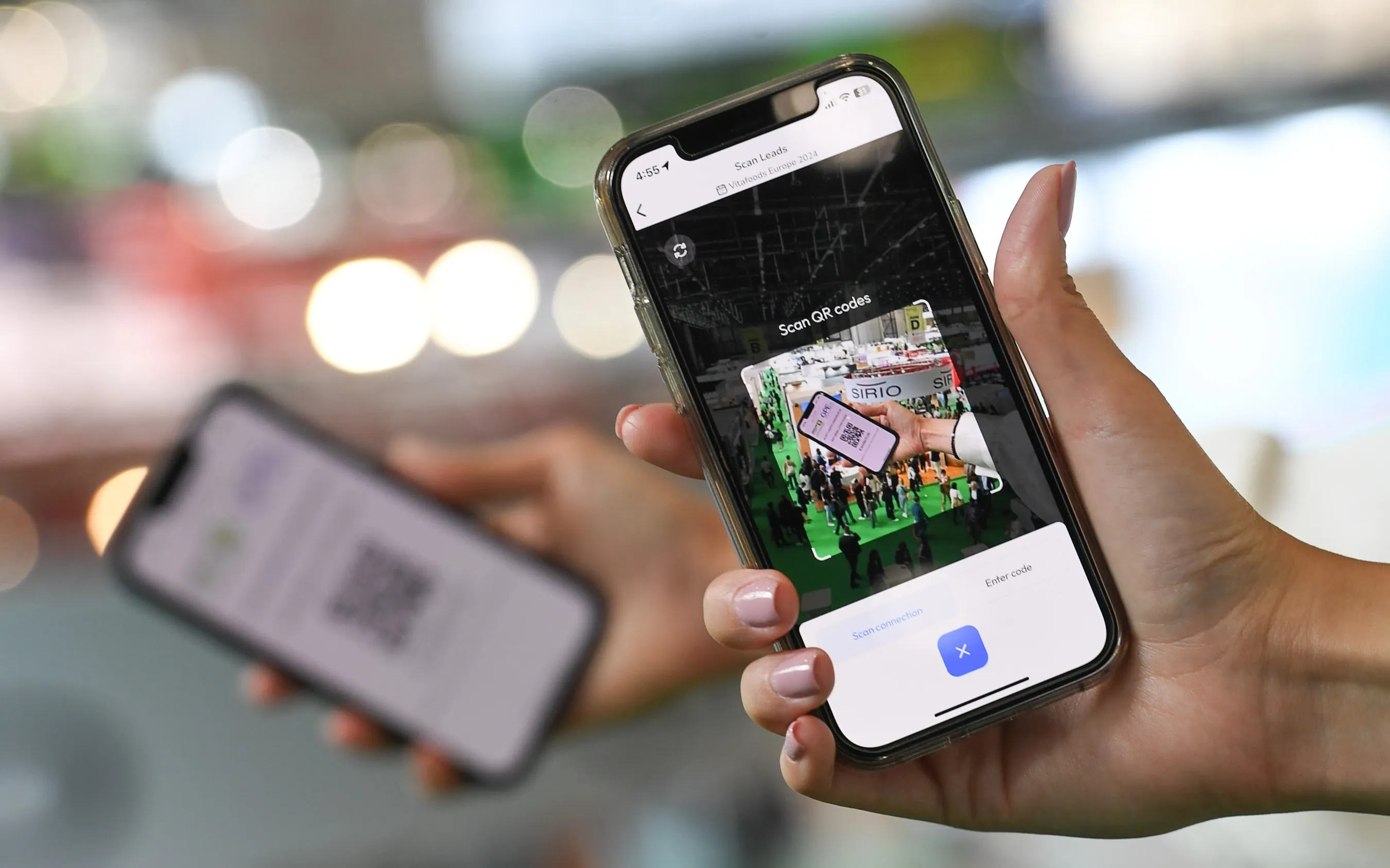
Swapcard's focus is on providing qualified leads in one place, from badge scans to clicks.
I want to use Swapcard for my event, how do I order it?
30 weeks out - Decide on your Swapcard package
20 weeks out - Calculate the cost
Use the Swapcard calculator to calculate the cost of having Swapcard at your event.
The calculator takes into account the license cost, the number of registrants and exhibitors, the cost of support from Swapcard (online & onsite) and native lead retrieval costs.
You will need to add to this the cost of any additional integration you may have chosen (such as UserPilot and the maps provider) and the travel costs for any support staff from third party suppliers.
For emerging markets there are exclusive rates available as seen in the Swapcard calculator. Please check with your digital ops manager or anne.hickman@informa.com to see if you qualify for this.
24 weeks out - submit your event order form
Please reach out to Andre Lico (andre.lico@informa.com) if you have any issues.
When ordering your support from Swapcard the default is set at one day. Depending on scale of your event you will need between 3 and 5 days.
20 weeks out - Kick off call
Once you have completed and submitted the order forms, Swapcard will arrange a kick off call with your team. During this call you will define the full scope of your event and meet your designated CIM and CSM.
Your CSM (customer success manager) will help you with the strategy for your event and guide your through any tasks you need to complete. They are also your main point of contact for any general issues or questions.
Your CIM (customer integrations manager) is responsible for the technical side of implementing Swapcard for your event. Contact them with any technical issues.
Before or during the call you will be asked to complete and ‘event settings’ document. Here you should define the features you will be using plus the attendee, exhibitor and product categories. If this is not shared with you, please chase your CSM for it as it is a very important document.
X weeks out - Create your Swapcard event
1. Log in to the Swapcard Studio
- If you have decided that your event will sit inside a pre-existing community or container app, navigate to that community.
- If your event will be a standalone event, you will need to create a new community for it. You can do this by clicking '+ New community' in the top right corner of the page
2. Once inside the community, click + New Event
3. Complete the form that pops up. It will ask for information such as your live date, location and event name. Your event name is important as this will appear at the event of your event URL. Please consider your answers here carefully as this information is not editable once submitted.
4. Select ‘Create Event’
- Your Swapcard CSM will guide you through all the next steps of creating and running your event.
- Watch the Swapcard Academy Training videos
How much does Swapcard cost?
Use the Swapcard caculator
How do I create a standalone app?
- Complete and submit the app typeform
- Decide on and set-up the URL for your event platform. (This is only applicable if your event is not in a pre-existing community). See above for how to do this.
- Decide and set up the email domain for your event. See above for how to do this.
How can we monetise Swapcard?
The possibilities are endless! Here's a complete guide to monestisation opportunities on the platform and app.
How do I add extra language options to my event?
Existing languages
To add languages to your event, go to Event Builder > General Information. Scroll down the page to find the Languages section.
You can select as many of the available languages as you wish. You will be asked to select a default language. This will be used when the language preference of the user is unknown. The following document: Multilingual - options+availibility.pdf contains more information about the languages available on Swapcard and how users choose their preferred language.
Adding a new language to Swapcard
If you would like to provide your platform in a language that is not currently available on Swapcard, this is possible but requires extra time and development. Please see the steps below:
OPTION 1: Hire a professional translation service
OPTION 2: Swapcard will provide one of your team members access to Phase (translation tool) for them to complete the translations.
Swapcard to complete the development required to add the new language. This requires 4 development days from Swapcard and can take a few weeks to implement, test and push into production.
The whole process of adding a new language takes approximately 6 weeks.
Visit (by GES)
Who is the Central Registration Team?
Informa's Central Registration Team is a specialized team operating across the EMEA Region with experts strategically located in Cairo, London, and Dubai.
This team manages the comprehensive event setup process on Visit Create while providing consultation to Event Teams on industry best practices and optimal registration solutions. They take full ownership of the setup, configuration, and ongoing maintenance of registration system throughout the entire event lifecycle. The team also offers technical support, troubleshooting assistance, and data management services to ensure seamless registration experiences.
How do I get my event registration set up?
The registration process for Informa EMEA works in one of two ways.
1. Internal Setup by the Central Registration Team
Event teams that wish to work with the Central Registration team will need to fill out the event brief linked here and then submit your request here. Please account for 3-4 weeks for your form to be ready once briefed in, event calendars should be shared with ayesha.dumasia@informa.com along with go-live targets as early as possible to avoid scheduling delays during peak periods.
2. External Setup through Visit
For teams preferring an alternative to the self-service model, Visit can provide this as an additional paid for service. The marketing team will be required to complete and submit their registration brief.
Requests need to be sent to visitaccountmanagement@ges.com with the completed event briefing document, it will then be picked up and managed by the Visit Project management team.
What's required of me?
You will be required to fill out the event brief and submit a request on monday.com to kickstart your registration setup.
Once the brief has been reviewed by your assigned Registration Specialist the Registration Team will setup a kick off call before proceeding with the form build. Please account 3-4 weeks for the initial setup.
What are the timelines for delivery?
The Central Registration Team's SLAs can be viewed here.
What about registration support onsite? Who briefs and manages registration temporary staff onsite?
The Central Registration team can provide onsite support for your event upon request, though this depends on their availability. When present, their focus is primarily on addressing record and data-related issues that may arise during the event. They collaborate closely with temporary staff to ensure visitors experience a seamless registration process throughout the event.
The responsibility for briefing and managing onsite temporary staff, including registration personnel, falls to the show team—typically the operations department, though this varies depending on the specific event structure. Visit handles briefings related to onsite terminals and technical equipment, while the Central Registration Team (when onsite) provides comprehensive guidance on form setup and Registration Types.
If the briefing requires staff to come onsite on a non-show day, this is usually an extra charge.
How do I get payment portal setup for my event registration?
Complete the payment portal setup request document and provide as an attachment to a ServiceNow generic request.
Note: For Oracle events only. SAP is in review and will be included later.
Who do I need to contact in case of problems?
Ayesha Dumasia is our Registration Manager. Alternatively, please take a look at our escalation process and our Visit support document which indicates who to contact for various problems.
How do development requests work on Visit?
Any change that falls outside of the current product capability will need to be filed as an RFC. The change request should be brought to the attention of the Registration Manager (ayesha.dumasia@informa.com) and from there the request will be raised to the Informa Central Technology team and taken forth to Visit.
Visit will assess the RFC within a 2 week timeline and come back with a quote and project plan which will need to be approved before the RFC goes into production.
User Pilot
What is User Pilot?
UserPilot is a software that we integrate with Swapcard to provide pop-up content within the event platform. It is used to onboard and educate, improve user experience, highlight key features and collect user feedback. There are a variety of pop-up options including step-by-step guides, an expandable resource centre, feature spotlights and surveys. At the end of September 2025, UserPilot will also be available on the app.
How does User Pilot benefit the customer?
UserPilot provides a more intuitive and engaging platform experience for our customers through a personalised and actionable onboarding process, clear in-platform guidance and multiple feedback opportunities. By guiding users through the platform, we make it easier for them to understand it’s value, achieve quick wins and use it more effectively. We can also reduce frustration by addressing known pain points and providing clear instructions.
How does User Pilot benefit me?
By improving user onboarding and reducing frustration, UserPilot can increase your event’s NPS scores and reduce customer contact with CS. If customers are satisfied with the platform, you are also more likely to see increased adoption and engagement. In addition to this, UserPilot offers the opportunity to gain important customer feedback and insights into user behaviour such as key feature adoption.
How can I implement User Pilot into my event?
All EMEA events using Swapcard will have UserPilot set up for their event. The integration and delivery are managed by our central team in collaboration with digital ops. If you are unsure whether your event qualifies for UserPilot, please speak to your digital operations contact.
We implement a standardised guide journey for all events that is continually being tested and improved. It is possible to create personalised guides specific to your event (for example: targeting ticket types unique to your event or upselling certain features). If you would like this, please reach out to hannah.mee@informa.com to discuss the possibilities.
Blue Dot
What is Blue Dot Navigation?
Blue dot navigation is a technology that integrates with your in app floorplan to offer live location navigation, location-based notifications and footfall analytics. It works by placing a series of Bluetooth beacons around the show floor that pick up the real-time location of any app users who have enabled tracking.
What are the benefits of Blue Dot Navigation?
- Effortless navigation that improves the attendee experience.
- Location based data and heatmaps to justify future floorplan design and feature placement.
- Statistics on exhibitor booth footfall and performance that support your rebooking teams.
- Targeted notifications based on location to boost engagement and sales targets.
How can I adopt Blue Dot Technology?
To implement blue dot technology, we work with an Informa preferred supplier called Crowd Connected (https://www.crowdconnected.com/).
For any quotes or questions, please contact your digital ops manager or Anne Hickman who will liaise directly with Crowd Connected.
Informa have a 12 month contract with Crowd Connected that does not need to be re-signed per event. However, you will need to sign a working order form to onboard CC for your show. This should be linked to the Crowd Connected contract within Coupa. For any issues with this, please reach out to Scott Hornsey (scott.hornsey@informa.com).
What is the timeline for implementation of Blue Dot?
12-6 months prior
- Contact Anne Hickman or digital ops to confirm your interest in CC.
- Negotiate and confirm the statement of work and quote.
- Organise a payment plan and ensure that payment deadlines are adhered to
- Share an up-to-date floorplan with CC.
6 months
- Larger scale shows should organise a site visit for the CC team
3 months
- Continue to send CC the most up-to-date floorplan
- After the event platform launch, integrate Swapcard with CC. Ensure testing is done by Swapcard to identify any bugs
3-1 month
- Work on email communications and notifications for attendees highlighting the live location navigation feature.
1 month
- Book a call with Swapcard and CC to ensure they are collaborating and testing is being done on all sides (including by our QA team)
2-3 weeks
- QA sign off on the floorplan and first draft published by Swapcard
1-2 weeks
- Decide which regions of your event floor you wish to track and what location-based notifications you will set up
1 week
- Set up location-based notifications.
- Make sure your team have access to the backend of CC.
- Ensure the copy of the privacy policy notification matches that signed of by the legal team: To provide relevant information and manage crowd flow during the event, we require access to your device location. For enhanced features and real-time navigation, choose “Change to Always Allow.” You can opt-out and manage your preferences by accessing your app settings.
Day 0
- The blue dot should appear live. Thorough testing to ensure everything is working as expected.
Scroll up to continue exploring our resources.
Log in
See all the content and easy-to-use features by logging in or registering!